


Safe overclocking Raspberry Pi 5 means pushing the BCM2712 clock speed above the stock 2.4GHz while keeping temperatures, voltage, and long-term stability within bounds that do not degrade the hardware. The Pi 5 responds well to tuning: most units reach 2.6–2.8GHz with active cooling and measured voltage adjustments. Undervolting is equally useful for passive or quiet builds, reducing heat and power draw without sacrificing daily-use performance. This guide covers the config parameters, safe operating ranges, three tested config examples, monitoring commands, and recovery if something goes wrong.
Last tested: Raspberry Pi OS Bookworm 64-bit | March 12, 2026 | Raspberry Pi 5 (8GB) | Raspberry Pi Active Cooler | official 5V/5A USB-C PSU
Key Takeaways
- All config changes go in
/boot/firmware/config.txton Bookworm, not/boot/config.txt. Editing the wrong file has no effect. force_turbo=1disables dynamic frequency scaling, pinning the CPU at its set frequency. Hardware thermal throttling at 85°C still applies. The Pi will reduce frequency if it hits that threshold regardless of this setting.over_voltageadjusts in 0.025V steps on Pi 5.over_voltage=6adds 0.15V above baseline, not 0.06V. Start at 2 or 3 and test before going higher.- Stability means passing a 20-minute
stress-ngrun with no reboots, no throttle flags, and temperature under 80°C. A clean boot is not a stability test.
Safe Overclocking Raspberry Pi 5: Hardware Context
The Pi 5 uses the BCM2712 SoC with four ARM Cortex-A76 cores. Stock frequency is 2.4GHz, with an optional boost to 2.4GHz available via arm_boost=1 (enabled by default on Pi 5 with active cooling detected). The GPU runs at 800MHz by default and can be raised separately with gpu_freq.
The Pi 5’s onboard voltage regulators are more capable than those on Pi 4, which is part of why it handles overvolting better. However, they still generate heat. In enclosed cases or warm ambient conditions, the VRM temperature can become a secondary thermal constraint even when the CPU reads acceptably.
Cooling determines your practical ceiling:
| Cooling setup | Practical max stable freq | Passive or active |
|---|---|---|
| No heatsink | 2.4GHz (stock, throttles under load) | N/A |
| Heatsink case (e.g. Flirc) | 2.4–2.5GHz | Passive |
| Official Active Cooler | 2.6–2.8GHz | Active |
| Third-party tower cooler | 2.8–3.0GHz | Active |
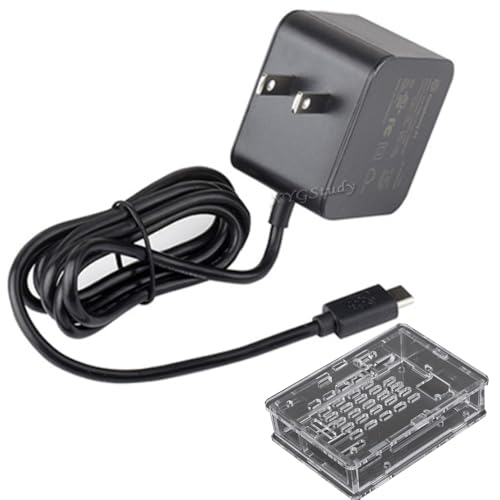
Use the official 5V/5A USB-C power supply throughout testing. A supply that cannot sustain 5A under sustained CPU and peripheral load will cause undervoltage events that are difficult to distinguish from instability caused by the clock settings themselves. See Raspberry Pi Power Monitoring via USB for how to verify supply quality under load.


Config Parameters Reference
All parameters go in the [all] or [pi5] section of /boot/firmware/config.txt. Using the [pi5] section ensures changes only apply to Pi 5 if the card is used in another model.
| Parameter | What it does | Safe range for Pi 5 |
|---|---|---|
arm_freq | Sets CPU frequency in MHz | 2400–2800 with active cooling |
gpu_freq | Sets GPU frequency in MHz | 800–1000 (leave at default unless GPU-bound) |
over_voltage | Adjusts CPU/GPU voltage in 0.025V steps | -3 to +6 (-0.075V to +0.15V above baseline) |
over_voltage_delta | Alternative fine-grained voltage offset in µV | -75000 to +150000 µV |
force_turbo | Pins CPU at arm_freq continuously | 0 (default) or 1 with active cooling only |
arm_boost | Enables 2.4GHz boost when thermal headroom exists | 1 (default on Pi 5) |
temp_limit | Sets hard throttle threshold in °C | Do not raise above 85 (default) |
Edit the file with:
sudo nano /boot/firmware/config.txtChanges take effect after a full reboot, not after sudo reboot from an unstable state. If the Pi fails to boot, pull the SD card, mount it on another machine, and edit the file from there.
Three Tested Configurations
Passive / quiet build
For fanless cases, heatsink enclosures, or any build where noise is a constraint. Undervolts slightly to reduce heat and power draw. Runs a full desktop, Pi-hole, or light server load without thermal issues.
[pi5]
arm_freq=2000
over_voltage=-2
Expected idle temperature: 38–45°C. Expected load temperature: 55–65°C in a heatsink case. Power draw: approximately 3.5–4.5W under typical load.
Balanced performance
For the official Active Cooler or equivalent. Moderate overclock with minimal voltage increase. Suitable as a daily driver for compiling, running containers, or a home server. Frequency scales dynamically under this config (no force_turbo).
[pi5]
arm_freq=2600
over_voltage=2
Expected idle temperature: 42–50°C. Expected load temperature: 65–72°C with active cooling. Power draw: approximately 5–7W under full CPU load.
Maximum stable overclock
For well-cooled builds with a tower cooler or the official Active Cooler in a well-ventilated case. force_turbo=1 pins the CPU at the set frequency; do not use this without reliable active cooling. This config voids the warranty on some Pi 5 variants.
[pi5]
arm_freq=2800
over_voltage=6
force_turbo=1
Expected load temperature: 72–80°C with official Active Cooler. If temperature exceeds 80°C consistently, reduce arm_freq by 100MHz before adjusting voltage. Not suitable for enclosed cases or ambient temperatures above 25°C.
Note: over_voltage=6 adds 0.15V above baseline (6 × 0.025V). This is a meaningful voltage increase. Do not go higher without a measurable thermal and stability justification.
Testing for Stability
A clean boot does not confirm stability. The minimum useful test is a sustained CPU stress run while monitoring temperature and throttle status:
sudo apt install stress-ng -y

# Run 4 CPU workers for 20 minutes
stress-ng --cpu 4 --timeout 1200s --metrics-brief
While this runs, monitor in a second terminal:
# Check temperature every 5 seconds
watch -n 5 vcgencmd measure_temp

# Check throttle status
vcgencmd get_throttled
# 0x0 = no issues
# 0x50000 = undervoltage or throttle occurred since boot
# 0x50005 = currently throttling
A stable configuration shows:
- No reboots or lockups during the 20-minute run
vcgencmd get_throttledreturning0x0at the end- Temperature staying below 80°C throughout
- No filesystem errors on the next boot (
dmesg | grep -i error)
If any of those fail, reduce arm_freq by 100MHz before adjusting voltage. Frequency is almost always the right variable to reduce first.
Monitoring Commands

# CPU temperature
vcgencmd measure_temp

# Current CPU frequency (Hz)
vcgencmd measure_clock arm

# Current voltage
vcgencmd measure_volts core

# Throttle and undervoltage status
vcgencmd get_throttled

# All vcgencmd readings at once
for cmd in measure_temp measure_clock arm measure_volts core get_throttled; do
  echo "$cmd: $(vcgencmd $cmd)"
done
Throttle flag interpretation:
| Value | Meaning | Action |
|---|---|---|
0x0 | No issues | None |
0x1 | Currently undervoltaged | Check PSU and cable |
0x4 | Currently throttled (thermal) | Improve cooling or reduce freq |
0x10000 | Undervoltage occurred since boot | Check PSU under load |
0x40000 | Throttle occurred since boot | Check thermal headroom |
0x50005 | Currently both undervoltaged and throttled | Both PSU and cooling need attention |
Undervolting
Negative over_voltage values reduce the CPU supply voltage below the default operating point. This lowers heat output and power draw, at the cost of reduced noise margin in the CPU’s timing paths. The practical effect is that some chips tolerate deeper undervolts than others. Silicon variation is real and the only way to find your chip’s floor is to test it.
Start at over_voltage=-1 and run the full stress test. If stable, try -2. Most Pi 5 units are stable at -2 at stock frequencies. Some manage -3. Below that, instability tends to appear under sustained load rather than at idle, which makes it harder to catch without a thorough test.
# Incremental undervolt testing sequence
# Test each value with a 20-minute stress run before going deeper

# Step 1
[pi5]
over_voltage=-1

# Step 2 (after Step 1 passes)
[pi5]
over_voltage=-2

# Step 3 (after Step 2 passes)
[pi5]
over_voltage=-3
The signs of an undervolt that has gone too far: intermittent lockups under CPU load, filesystem errors appearing after reboots, or get_throttled showing the undervoltage bit. Any of these means stepping back by one increment.
Recovery from a Bad Config
If the Pi fails to boot after a config change, the fix is straightforward. Remove the SD card and mount it on another Linux machine or use a USB SD card reader on any computer:
# On the host machine -- find the SD card partition
lsblk
# Look for the FAT32 partition (usually vfat, labelled 'bootfs')

# Mount it
sudo mount /dev/sdX1 /mnt/sdcard

# Edit the config
sudo nano /mnt/sdcard/config.txt

# Remove or comment out the problematic lines
# Then unmount
sudo umount /mnt/sdcard
On Windows, the boot partition is visible as a drive in File Explorer. Open config.txt with any text editor, revert the overclocking lines, and save.
If the EEPROM itself needs resetting (rare, usually only after a firmware update went wrong), the Pi 5 has a physical button on the underside. Hold it during power-on to enter EEPROM recovery mode. This does not fix config.txt issues but can recover from a corrupted bootloader state.
For SD card write protection and corruption prevention alongside overclocking, see Preventing SD Card Corruption on Raspberry Pi. For cooling hardware options that determine the practical overclock ceiling, see Raspberry Pi 5 Cooling Guide.
Common Problems
Pi boots but throttles immediately under load
Check vcgencmd get_throttled. The thermal throttle bit (0x4) being set immediately means the cooling is insufficient for the clock speed set. Either improve airflow, reduce arm_freq by 100MHz, or both. Check that the fan is actually spinning and that the thermal pad between cooler and SoC is properly seated.