
As an Amazon Associate I earn from qualifying purchases. Some links in this guide are affiliate links.
The right Raspberry Pi accessories determine whether a project runs reliably for years or causes ongoing frustration. An undersized power supply causes random reboots. A microSD card as primary storage wears out under sustained writes. A Pi 5 running without active cooling throttles under load. This guide covers the six accessory categories that actually matter: power, storage, cooling, cases, cameras, and GPIO. Product recommendations are based on real Pi builds rather than spec sheets.
Note: Product recommendations cover Pi 4 and Pi 5. Check compatibility with your specific Pi model before purchasing. All Amazon links use the pidiylab-20 affiliate tag.
Key Takeaways
- The Pi 5 requires a 27W USB-C power supply (5.1V at 5A). The Pi 4 requires a 15W USB-C supply (5V at 3A). Using a phone charger or a supply rated for an older Pi model produces the undervoltage lightning bolt and unpredictable behaviour.
- For any Pi running as a permanent server, replace the microSD card with a USB SSD or NVMe. MicroSD cards fail under continuous write loads. A Pi running Docker, Home Assistant, or a database generates exactly the write pattern that kills them within weeks.
- The Pi 5 Active Cooler is a $5 clip-on that reduces sustained CPU temperature by 20 to 30 degrees C compared to running bare. It connects to the dedicated four-pin fan header on the Pi 5 and is controlled automatically. There is no reason not to use it on any Pi 5 running sustained workloads.
Power Supplies
The power supply is the accessory most people underestimate. A Pi running from an underpowered supply shows intermittent reboots, SD card corruption, and USB peripheral dropouts. All are symptoms that look like software problems. The Pi 5 draws up to 12W under heavy load. The Pi 4 draws up to 8W. Both need dedicated supplies with adequate headroom.
The official Raspberry Pi supplies are the correct choice because they deliver stable 5.1V output with proper USB-PD negotiation. Third-party chargers that split current between ports or output 5V without PD negotiation cause problems that are difficult to diagnose.
- Pi 5: Official Raspberry Pi 27W USB-C Power Supply, 5.1V at 5A, USB-PD, white or black. Amazon link
- Pi 4: Official Raspberry Pi 15W USB-C Power Supply, 5.1V at 3A. Amazon link
See Raspberry Pi Power Monitoring via USB for testing whether your supply delivers adequate current under load.
Storage
Storage is the second most important accessory decision and the one most likely to cause problems on a headless server Pi. MicroSD cards have a finite write endurance. Under sustained workloads, they typically last weeks to a few months. A USB SSD changes the Pi from a device that needs regular maintenance to one that runs for years without storage issues.
MicroSD cards (for casual use only)
If you are using a microSD card, use a Class 10 A2-rated card. A2 rating specifies minimum random read and write IOPS, which matters more than sequential speed for OS workloads. SanDisk and Samsung are the two brands with the most consistently good results on Pi hardware.
- SanDisk Extreme 32GB A2: Amazon link
- Samsung Endurance 32GB: High endurance rating, designed for continuous write use. Amazon link
USB SSDs (recommended for any server Pi)
A USB 3.0 SSD connected to the Pi 4 or Pi 5 USB 3.0 port delivers 300 to 400 MB/s sequential reads and dramatically better write endurance than any microSD card. The Pi 5 can boot from USB SSD directly. The Pi 4 can boot from USB SSD with a EEPROM update.
- Samsung T7 500GB: The most tested portable SSD on Pi hardware, consistent 400+ MB/s. Amazon link
- Samsung T7 1TB: Recommended for media server builds (Jellyfin, Plex). Amazon link
NVMe via PCIe HAT (Pi 5 only)
The Pi 5 PCIe interface delivers 800 to 900 MB/s to NVMe drives, the fastest storage option available. Requires an M.2 HAT. The Official Raspberry Pi M.2 HAT+ supports 2230 and 2242 form factor drives only.
- Official Raspberry Pi M.2 HAT+: Amazon link
- Western Digital SN740 256GB (2230): Fits Official HAT+, reliable on Pi 5. Amazon link
See Raspberry Pi 5 NVMe Boot Guide for the full setup including EEPROM configuration and boot order.
Cooling
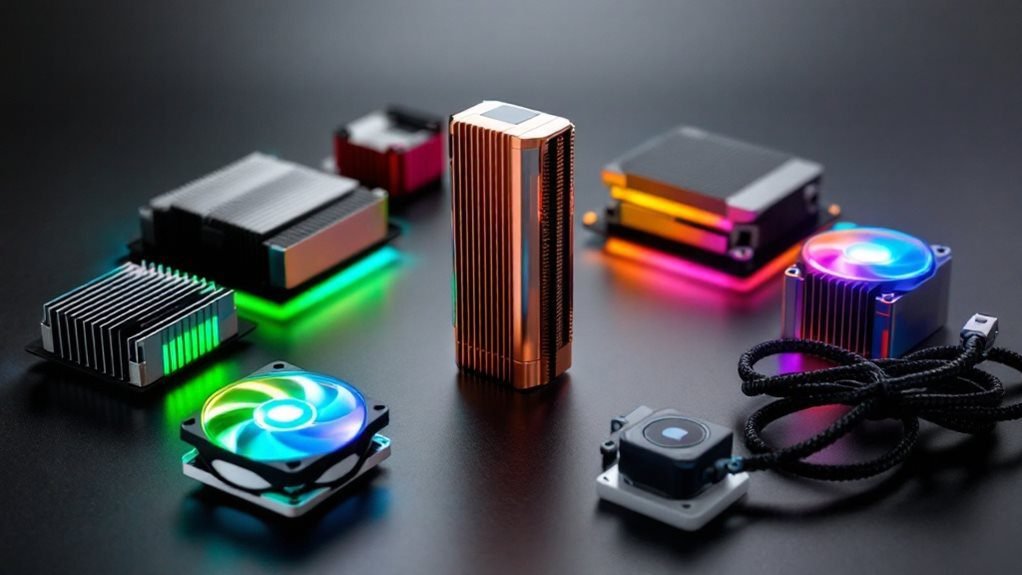
The Pi 5 runs cool under light loads but throttles above 80 degrees C during sustained workloads. The Pi 4 is more aggressive about thermal throttling. Active cooling eliminates throttling and reduces noise from fan cycling in cases with aggressive fan curves.
Pi 5 cooling
- Official Raspberry Pi Active Cooler: Clips onto the Pi 5 via spring-loaded pins, connects to the dedicated four-pin fan header, and runs temperature-controlled via PWM. The $5 price makes it a no-brainer for any Pi 5 under sustained load. Amazon link
- Argon NEO 5 BRED Case: Full metal case with built-in fan for Pi 5 that doubles as heatsink and enclosure. Good for a clean permanent installation. Amazon link
Pi 4 cooling
- Pimoroni Fan Shim: Slim active cooler that attaches to GPIO pins without occupying the full header. Temperature-controlled, quiet, and compatible with most cases. Amazon link
- GeeekPi Low-Profile Ice Tower: Aluminium tower cooler with fan, keeps Pi 4 below 50 degrees C under sustained load. Larger footprint. Verify case compatibility before ordering. Amazon link
See Raspberry Pi 5 Cooling Guide for measured temperature results across several coolers and cases.
Cases
The right case depends on the use case. A headless server Pi benefits from a case with good airflow and no wasted space. A desktop Pi benefits from a clean enclosure. An outdoor Pi needs weatherproofing.
- Official Raspberry Pi 5 Case: Compact, includes fan mount, designed around the Pi 5 dimensions. Works with the Official Active Cooler. Amazon link
- Official Raspberry Pi 4 Case: Clean ABS case with GPIO access via removable top. Simple and effective for a desktop Pi. Amazon link
- Argon ONE M.2 Case for Pi 4: Aluminium case with integrated M.2 SSD slot (SATA only via USB bridge). Good for a tidy Pi 4 NAS or media server. Amazon link
- Geekworm X1004 Pi 5 NVMe Case: Supports 2280 NVMe drives on Pi 5. The main alternative to the Official HAT+ for full-size SSDs. Amazon link

Camera Modules
The Pi camera ecosystem uses a dedicated CSI connector and the libcamera stack on Bookworm. All current official modules work with libcamera-hello and libcamera-vid without any additional configuration. Third-party cameras vary in driver support quality.
- Camera Module 3: 12MP Sony IMX708, autofocus, HDR support. The current standard recommendation for new projects on Pi 4 and Pi 5. Amazon link
- Camera Module 3 Wide: Same sensor with 120-degree field of view. Better for surveillance or room monitoring applications. Amazon link
- HQ Camera: 12.3MP Sony IMX477 with interchangeable C/CS mount lenses. Correct choice for telephoto builds, astronomy, or any application needing a specific lens. Amazon link
See Raspberry Pi RTSP Surveillance Guide for using the camera module in a security camera build, and Raspberry Pi HQ Camera Motorized Focus Telephoto Build for the HQ Camera telephoto setup.
GPIO and Prototyping
The Pi GPIO header is where hardware projects start. A breadboard and jumper wires let you prototype sensor and LED circuits without soldering. A GPIO breakout board makes it easier to identify pin numbers when working from a diagram.
- Elegoo Breadboard and Jumper Wire Kit: Includes a 830-point breadboard, M-M, M-F, and F-F jumper wires. Adequate for every beginner GPIO project. Amazon link
- CanaKit GPIO Breakout Board with Cable: Labelled 40-pin breakout that connects to the Pi GPIO header and spreads pins to a breadboard with clear labels. Saves significant time when working with physical components. Amazon link
- Raspberry Pi Sense HAT: Official HAT with accelerometer, gyroscope, magnetometer, temperature, humidity, pressure sensor, and 8×8 LED matrix. Used in the Pi astronaut experiments on the ISS. Covers most sensor project requirements in one board. Amazon link
See Raspberry Pi Robot Basics for hands-on GPIO project examples using gpiozero and breadboard circuits.
FAQ
Can I use any USB-C charger with a Raspberry Pi?
No. The Pi 5 requires a USB-PD charger that negotiates 5V at 5A. Most phone chargers and multi-port adapters do not deliver this. They will power the Pi but it will show an undervoltage warning, limit downstream USB current to 600mA, and throttle under heavy load. Use the official Raspberry Pi supply or a verified third-party supply with USB-PD at the correct current rating.
What is the difference between a HAT and a pHAT?
A HAT (Hardware Attached on Top) is a full-size add-on board (65x56mm) that fits the standard 40-pin GPIO header and includes an EEPROM for automatic configuration. A pHAT is a smaller board designed for Pi Zero and Zero 2 W models, which have a smaller physical footprint. Most HATs work on full-size Pi models. Most pHATs do not physically fit on a full-size Pi header without an adapter.
Do I need active cooling for a Pi 4 running 24/7?
Yes for most sustained workloads. The Pi 4 throttles at 80 degrees C, which it reaches quickly under continuous CPU load without cooling. For a Pi 4 running Docker stacks, a media server, or a VPN, a fan cooler keeps temperatures 20 to 30 degrees C lower than passive heatsinks alone. For a Pi 4 running Pi-hole or a light DNS server with minimal CPU activity, passive heatsinks are adequate.
What microSD card size should I use?
32GB for Raspberry Pi OS Lite (no desktop). 64GB for Raspberry Pi OS with desktop or if you plan to install many packages. Do not use 16GB. It fills quickly after updates and logs accumulate. If the Pi is running as a permanent server, replace the microSD with a USB SSD regardless of size. The capacity is less important than the endurance.
References
- https://www.raspberrypi.com/products/
- https://www.raspberrypi.com/documentation/computers/raspberry-pi.html#power-supplies
About the Author
Chuck Wilson has been programming and building with computers since the Tandy 1000 era. His professional background includes CAD drafting, manufacturing line programming, and custom computer design. He runs PidiyLab in retirement, documenting Raspberry Pi and homelab projects that he actually deploys and maintains on real hardware. Every article on this site reflects hands-on testing on specific hardware and OS versions, not theoretical walkthroughs.